
ByteDance’s decision to bring precision editing into Seedream 5.0 Pro is a turning point in how generative image models are used in real production work rather than just creative experimentation. Creative teams have been asking for tools that behave more like design software and less like a lottery driven by prompts, and Seedream’s latest release is one of the clearest attempts yet to answer that demand.
Seedream 5.0 Pro shifts generative images from prompt lottery to controllable, production-grade design workflows.
From prompt luck to grounded editing
Early diffusion models were powerful but chaotic for editing work. A single prompt change often forced a complete regeneration of the frame, breaking layout, lighting, and brand elements that needed to remain stable. The standard workaround was inpainting inside masked regions or using external control tools, which helped but still treated editing as an afterthought rather than a core capability.
Seedream 5.0 Pro moves away from that regenerate until lucky culture and instead treats an image as a structured scene that can be edited with intent. The model is built around strong spatial grounding, meaning it understands where objects, text, and materials sit inside the frame and how they relate to each other in space. That grounding is what enables precise local edits without disturbing the rest of the composition. This grounding is closely tied to Seedream 5.0 Pro’s interactive precision editing, a core capability designed to support professional production and design workflows across industries.
What Seedream 5.0 Pro actually adds
Interactive precision editing
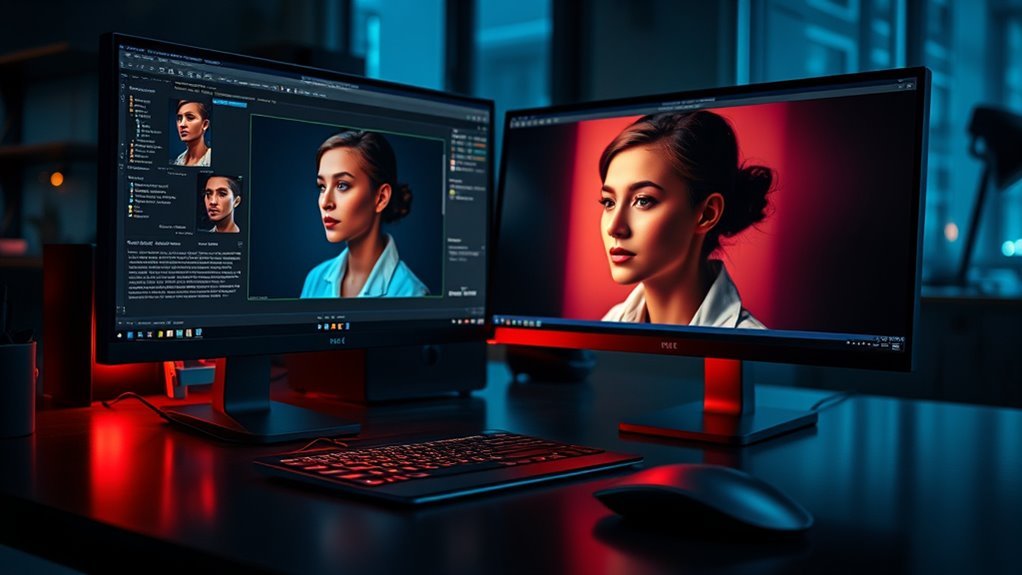
Seedream 5.0 Pro supports interactive precision editing that is anchored in spatial positions and regional semantics, allowing pixel level changes in tightly defined regions. Editors can select regions using points, lasso style selections, box selections, bounding boxes, arrows, rough sketches, or even freehand doodles, and the system turns those selections into deterministic local edit instructions.
Because the model keeps track of each element’s position and meaning, it can recolor labels, swap materials, or insert new objects while preserving perspective, shadows, and ambient lighting around the modified area. External reviews note that this region precise editing keeps lighting and texture intact, so a single adjustment does not scramble the rest of the image. For work such as catalogs, product swaps, and layout tweaks where stability is critical, this is a marked improvement over older prompt only workflows.
Color and material control with brand level precision
Seedream 5.0 Pro is designed to operate at coordinate and color value levels, including fine grained control to match brand palettes and subtle tonal shifts. Editors can specify exact color codes such as hex values or descriptive color targets, then attach those instructions to spatial markers so that changes remain confined to the selected pixels.
This is especially important for brand sensitive work. Traditional generative models often struggled to reproduce exact brand colors across a campaign, forcing manual retouching in tools such as Photoshop. With Seedream 5.0 Pro, color and material replacement becomes part of the generative pipeline, reducing the need for external color correction while improving consistency across variations.
Sketch guided structural edits
Sketch editing allows rough shapes and doodles to act as structural guidance. Seedream 5.0 Pro can transform these sketches into realistic objects that match the existing lighting and composition of the scene. In practice this means that an art director can outline the position of a new product or a design element and rely on the model to fill in the detail, rather than writing increasingly detailed prompts and regenerating full frames.
Reviews describe this as the model behaving more like a controllable editor than a pure black box generator, since the user can specify where a change belongs and what it should roughly look like, and the system finishes the work. That aligns more closely with how designers think when working inside layout tools.
Layer separation and layer aware editing
One of the most significant additions in Seedream 5.0 Pro is native layer separation. The model can decompose a flattened image into multiple layers for subjects, backgrounds, text, and decorative elements, often returning several transparent PNG layers per call. Each layer is tagged with bounding box data and stacking order so that it can drop directly into a design tool or layout system.
Layer aware edits preserve lighting, texture, and overall layout while allowing headline text, characters, products, and full backgrounds to be repositioned, scaled, or restyled independently. This turns what used to be a static output into something closer to a design file, enabling non destructive revisions and rapid asset iteration for advertising and ecommerce teams.
Multi image and multi reference fusion
Seedream 5.0 Pro also introduces multi image and multi reference fusion within a single canvas. The associated APIs can accept up to ten reference images per request, blending elements from each inside designated regions while preserving identity, lighting direction, and color grading. This joint reasoning makes it possible to assemble complex scenes that combine products, people, and environments from disparate sources without obvious seams.
This capability is particularly useful for brand consistency. Teams can supply reference shots for correct color treatment, logo placement, or material finish, and Seedream 5.0 Pro uses them as anchors during the edit so that newly generated elements stay in line with existing brand standards.
Why this matters for real production workflows
For commercial image work, the difference between a generator and an editor is not academic. Campaigns often start from approved layouts, with fixed product positions, legal text, and brand color rules that cannot be casually changed. Typical generative models had difficulty working inside these constraints, because any prompt driven change risked breaking something that had already been approved.
By unifying precision editing, spatial grounding, layer separation, and multi reference fusion, Seedream 5.0 Pro effectively offers a bridge between generative image creation and structured post production workflows. Instead of exporting a flat image from a model and then rebuilding the layout manually, teams can keep working inside the generative system while still respecting the conventions of professional design.
Compared with earlier generations of tools, the shift is notable. Previous models offered inpainting and basic masking, but they rarely understood the underlying scene well enough to guarantee that a local change would preserve shadows, reflections, or complex layouts such as grids and tables. Seedream 5.0 Pro adds anchor editing for objects arranged in rows and columns, making it possible to change one item in a structured grid such as a chessboard or product matrix without disturbing neighbors.
For businesses, this means faster asset production, fewer handoffs between model output and manual retouching, and more reliable reuse of existing creative material. For designers, it means working with AI in a way that respects familiar concepts such as layers, coordinates, and color codes rather than forcing everything through vague text prompts.
Risks, limits, and what to watch
Despite the progress, Seedream 5.0 Pro does not remove the usual concerns around generative image systems. Quality control remains essential, especially when editing faces, regulated products, or high detail scenes. Even with strong spatial grounding, the model can still introduce artifacts or subtle inconsistencies that require human review. Commentators note that while hallucinations are reduced, they are not fully eliminated.
There is also a learning curve. Precision editing tools offer many degrees of freedom, from region selection modes to layer toggles and reference management. Teams that treat the model as a simple prompt box will not gain the full benefits and may end up frustrated by inconsistent results. Structured workflows, clear naming of layers, and documented best practices will matter just as much as model capabilities.
On the governance side, multi image fusion and deep editing raise familiar questions about authenticity and disclosure. As it becomes easier to rearrange scenes while preserving realistic lighting and composition, organizations will need policies about how edited images are labeled and how they are used in marketing and reporting. Those questions are already live with existing tools and will only become more pressing as systems like Seedream 5.0 Pro gain adoption.
Forward looking takeaways
Seedream 5.0 Pro is part of a broader movement where generative models begin to look and feel more like professional design tools. Spatial grounding, layer separation, and reference guided fusion are not just features; they represent a shift in how AI systems understand and manipulate visual content.
For technology leaders, the main takeaway is that image models are moving from single shot generation to editable, scene aware pipelines that can slot into existing creative stacks. For businesses, the opportunity lies in building workflows where AI handles the heavy lifting of variations and localized edits while human designers retain control over structure and brand intent.
The competitive landscape will accelerate this trend. As more models adopt grounded editing and layer aware outputs, the baseline expectation for professional tools will change from simple prompt input to fully controllable multi layer scenes. Teams that invest early in understanding and standardizing these workflows will be better positioned to use AI as a reliable part of their production process rather than an experimental add on.
In that context, ByteDance’s addition of precision editing to Seedream 5.0 can be seen less as a single product update and more as a signal of where image models are heading next toward systems that respect how professionals actually work and that can be examined and debated by design and AI communities across the web.
Conclusion
Seedream 5.0 is a turning point for AI imaging because it shifts the focus from impressive one click generations to the kind of precise, controllable editing that real design work depends on. Instead of treating images as static outputs, ByteDance is turning them into structured, editable assets that can live inside production workflows for agencies, product teams, and solo creatives.
From One Click Magic To Production Workflows
The first wave of mainstream AI image tools excelled at wow factor. You wrote a prompt and received a complete picture, often beautiful but hard to adjust without starting over. That was fine for ideation and social posts, but it did not match how designers, art directors, or marketers actually work day to day.
Seedream 5.0 Pro is explicitly designed to close that gap. Official documentation describes a model that natively understands spatial positions and regional semantics in an image and uses that understanding to support pixel level interactive editing. Rather than regenerating everything, it lets the user specify what should change and what must stay intact, which is much closer to how professional tools like Photoshop or Figma are used in practice.
This move fits a broader industry trend. As organizations rely more on AI for production assets, they are demanding control, repeatability, and compliance, not just creativity. Seedream 5.0 arrives in that context and positions ByteDance as a serious player in professional grade image editing, not only in consumer entertainment.
What Seedream 5.0 Actually Adds
Seedream 5.0 Pro combines generation with a set of interactive precision editing tools that all hinge on a deep understanding of where objects live in an image and how regions relate to each other. The key pillars are consistent across technical writeups and partner integrations.
First, there is layer separation. Instead of returning a single flat image, Seedream 5.0 can decompose a frame into a base layer plus multiple element layers, often delivered as transparent assets that can be moved, reused, or restyled independently. Each layer comes tagged with stacking order and bounding box information, which allows design tools to drop the result directly into a layout with minimal manual cleanup. That is a clear departure from earlier models that treated every generation as a one off bitmap.
Second, several forms of region targeting are supported. Users can select areas by point clicking, lasso selection, annotation boxes, arrows, or direct coordinate input, then apply edits only inside that region while preserving the surrounding context. Region editing is described as similar to classic inpainting, but with more ways to specify the exact area, which matters when the difference between success and failure is a few pixels on a product label or a piece of fine text.
Third, sketch and anchor based editing allow more semantic control. Sketch editing accepts rough doodles or color blocks and uses them as guides to add or refine objects in those locations. Anchor editing can lock onto a specific object identified in text and change just that object, particularly useful in structured layouts such as product grids or multi panel compositions. Together, these features make it possible to adjust compositions without rewriting long prompts or relying on trial and error.
Fourth, multi image fusion and style transfer support complex composites. Seedream 5.0 can ingest up to ten reference images, extract objects, styles, or materials, and recombine them into a single output that follows a text instruction. It can also learn a transformation from a before and after pair and then apply that transformation to new inputs, which covers workflows such as color grading, style migration, or repeated object adjustments.
The model is built to follow instructions closely and reduce hallucination. Partner documentation emphasises conversational natural language editing and reports that the system honours detailed requests with far fewer unexpected changes. Seedream 5.0 Pro also targets commercial use with native high resolution outputs, photorealistic rendering of materials and skin, and publication ready infographics and layouts with improved small text legibility across multiple languages.
Lite Variants And Ecosystem Integration
ByteDance is not positioning Seedream 5.0 as a single monolithic tool. There is a Pro version aimed at deep editing work and a Lite version focused on speed and practical advertising or ecommerce tasks. The Lite editing endpoint can process up to ten reference images alongside a text instruction and generate images at resolutions up to 3072 by 3072 pixels with flexible aspect ratios. That is more than enough for most digital campaigns and many print workflows.
Third party platforms highlight how Seedream 5.0 fits into real design stacks. Multi layer outputs are described as compatible with tools such as Figma, Photoshop, and Canva, making it possible to keep AI generations inside existing pipelines rather than forcing teams into new software. Documentation stresses that layer aware edits preserve lighting, texture, and composition as much as possible, which matters for brand consistency across a series of assets.
Taken together, these choices show a clear intent. Seedream 5.0 is not simply another model added to a menu. It is an attempt to build a controllable imaging system that speaks the language of design teams and slots into their tools and processes.
Why This Shift Matters For Creatives And Businesses
For creative professionals, the most important change is psychological as much as technical. Traditional prompt based generation often felt like negotiating with a clever but unpredictable assistant. Seedream 5.0 treats images more like structured documents, where specific parts can be locked, moved, or rewritten on demand. That move from global randomness to local control brings AI closer to everyday production tasks such as swapping packaging, refreshing a seasonal theme, or localizing a campaign for different regions.
Marketing and ecommerce teams gain obvious advantages. Documentation calls out scenarios such as changing only a product label, adjusting a background colour, or replacing an object without disturbing the rest of the composition. High precision regional edits reduce the need to regenerate entire scenes when only one detail must change, which can save hours of retouching and lower the risk of subtle visual inconsistencies across variants.
Seedream 5.0 also fits a broader push toward intelligent visual reasoning. The preview materials emphasise real time web search, logical reasoning, and accurate interpretation of quantities and spatial relationships. Combined with layer aware editing, that opens up more reliable generation of structured content such as infographics, dashboards, and multi panel layouts, which are notoriously hard for earlier models that lack a strong sense of geometry and alignment.
From a business perspective, the Pro and Lite split makes sense. A full feature model serves agencies and studios that need surgical control and integration with complex workflows. A lighter, faster endpoint supports programmatic campaigns, ad operations, and interactive consumer tools that prioritise throughput and responsiveness. This layered product strategy is consistent with how other large AI providers now differentiate between flagship models and tuned variants for specific tasks.
Risks, Limitations, And Open Questions
A move toward more controllable editing also amplifies familiar risks. As it becomes easier to alter specific people, objects, or symbols in otherwise realistic images, the line between legitimate creative work and deceptive manipulation narrows. Seedream 5.0’s ability to preserve lighting, identity, and structure while changing styles or elements could be used both to maintain brand consistency and to produce convincingly altered media. That calls for robust watermarking, provenance tracking, and internal governance on how such tools are deployed.
There are also practical limitations. Precision editing depends on correct spatial grounding and object detection. Official descriptions emphasise that anchor editing works best in structured layouts where rows and columns are clear. In more chaotic scenes, it will still occasionally misinterpret which object a text description refers to or bleed edits into neighbouring regions. Creatives will need to learn where the model performs reliably and where manual touchups or traditional tools remain safer.
Another open question is how well these systems will generalize across diverse design conventions and cultural contexts. While Seedream 5.0 supports native text in many languages and claims improved local design conventions in multilingual layouts, that is an ongoing area of evaluation rather than a solved problem. Organisations deploying the model for global campaigns should still plan human review loops, especially for sensitive content.
Finally, integration depth varies by platform. Some partners expose the full palette of precision controls, while others offer simplified interfaces that hide the underlying complexity. That means the actual user experience will depend heavily on where someone encounters Seedream 5.0 and how much of its capability their chosen tool surfaces.
The Takeaway
Seedream 5.0 signals a mature phase for AI imaging. ByteDance is leaning away from pure spectacle and toward controllable, reversible, and production ready design, with layer separation, region targeting, sketch and anchor based editing, and multi image fusion at the core. The model is built to understand where things are in an image, how they relate, and how to change one part without breaking the rest, which aligns directly with how creative teams already work.
If the ecosystem continues to refine the user experience and pair these capabilities with strong safeguards, Seedream 5.0 and its successors are likely to become standard tools in design and marketing stacks rather than experimental side projects. The practical question for teams is no longer whether to use AI images at all, but how to incorporate structured, controllable AI editing into existing workflows in ways that enhance creativity without eroding trust in visual media. reddit